Table of Contents


The Art and Practice of Running Focus Groups
Focus groups are one of the most valuable qualitative research tools available to businesses, nonprofits, educators, and user experience teams. They provide nuanced insights into how people think, feel, and behave—and unlike surveys, they allow for deeper exploration and human interaction. But leading a focus group requires more than gathering a few people in a room and asking questions. From planning and moderation to execution and follow-up, running a successful focus group involves structure, flexibility, and attention to both human and technical details.
This guide explores the various types of focus groups, how to prepare and moderate them effectively, how to ask the right questions, and how to conduct virtual sessions using the right technologies. Whether you’re organizing your first session or refining your approach, this article provides a roadmap to thoughtful, actionable conversations.
Understanding the Purpose of Focus Groups
At their core, focus groups are designed to uncover perceptions, motivations, experiences, and attitudes. They are used to:
-
Validate or explore product concepts
-
Uncover needs or pain points
-
Test messaging, branding, or UI/UX ideas
-
Understand user behavior
-
Gather feedback on services or campaigns
Unlike data-heavy surveys or analytics platforms, focus groups let you observe non-verbal cues, explore contradictory opinions, and uncover context behind decisions.
They serve as a “subway” into the lives of participants—allowing brands and researchers to ride along for a stretch of their user journey.
Types of Focus Groups
Understanding which format is right for your goal can help streamline planning and expectations. Here are several commonly used focus group types:
1. Traditional Focus Group
This is the classic model: 6–10 participants sit around a table and engage in a moderated discussion. Typically lasts 60–90 minutes and takes place in a neutral setting such as a lab or rented conference room. Ideal for product feedback, service evaluation, or UX exploration.
2. Mini Focus Group
Smaller in size (4–6 participants), these are more intimate and allow for in-depth discussions. Useful when participants are subject matter experts or when scheduling larger groups is impractical.
3. Two-Way Focus Group
Two groups are used: one group discusses a topic while the other observes and then comments on the discussion. This approach is particularly helpful in peer-based or professional settings where reflection and interpretation are part of the goal.
4. Online/Virtual Focus Group
Participants join remotely via video conferencing tools. These sessions can be synchronous (live discussion) or asynchronous (forum-style input over time). Virtual groups expand geographic reach and are cost-effective, especially for global or remote audiences.
5. Client-Participant Hybrid Group
These include stakeholders, such as product managers or marketing leads, as silent observers—often behind one-way glass in in-person sessions or hidden attendees in virtual formats. This helps ensure business alignment with the insights gathered.
6. Workshop-Integrated Focus Group
These combine discussion with ideation. Participants not only respond but also co-create or prototype ideas during the session. These are ideal for design sprints or brand development initiatives.
Planning and Preparation
The success of a focus group often hinges on what happens before the session begins.
- Define the Objective
Be specific. Are you testing reactions to a new homepage layout? Trying to understand how users choose between competitors? Pinning down the objective will help guide your question framework and participant selection. - Identify and Recruit the Right Participants
Segment based on relevant criteria—demographics, experience levels, job roles, or behavioral traits. Use screening surveys to ensure alignment and diversity.
Tip: Offer an incentive. Even modest compensation can improve attendance and engagement. It can be also something like a swag thank you gesture for internal teams or client’s internal teams.
Create a Discussion Guide
This should include:
-
An introduction and warm-up activity
-
6–10 core questions with logical flow
-
Optional probing questions for deeper dives
-
A wrap-up or reflective exercise
Keep in mind: you’re not just asking questions—you’re creating an arc that builds trust, explores depth, and closes with clarity.
Moderation Techniques: Guiding Without Leading
The moderator plays a pivotal role in setting the tone, keeping the discussion on track, and ensuring everyone has a voice.
Establish a Safe Environment
Begin with clear ground rules. Encourage openness, respect, and honesty. Reassure participants there are no wrong answers.
Balance Talking Time
Some participants may dominate the conversation. Gently guide the discussion by prompting quieter individuals:
“I’d love to hear your perspective on this as well—what do you think?”
Handle Group Dynamics
Watch for groupthink, off-topic digressions, or conflicts. Redirect with care:
“Let’s bookmark that great point and return to our main thread…”
Stay Neutral
Avoid affirming specific responses. Use language like:
“That’s helpful—can you expand on that?” rather than “That’s a great idea.”
Asking the Right Questions
The structure and phrasing of questions can make or break the session.
Open-Ended vs. Closed
Use open-ended questions to invite elaboration:
-
“What came to mind when you saw this homepage?”
-
“How does this process compare to what you usually do?”
Avoid yes/no questions unless using them strategically to confirm points.
Funnel Technique
Begin with general questions, then narrow:
-
General: “How do you typically shop online?”
-
Specific: “What do you notice about this product page?”
Probing Techniques
Encourage deeper insights with follow-ups:
-
“Can you give me an example of that?”
-
“How did that make you feel?”
-
“What do you think caused that experience?”
Avoid Leading Questions
Keep language neutral:
❌ “Don’t you think this new design is easier to use?”
✅ “How does this design compare to others you’ve seen?”
Tools and Technology for Virtual Focus Groups
Running virtual groups requires more than just a Zoom link. Here’s how to equip yourself:
Most Popular Platforms
-
Zoom – Popular and widely used, with breakout room capabilities.
-
Microsoft Teams – Great for enterprise or B2B focus groups.
-
Lookback.io – Built specifically for user testing with observation tools.
-
Userlytics – Offers both moderated and unmoderated testing, participant panel access, and task-based workflows. Ideal for UX and product research at scale.
-
dscout / UserTesting – For asynchronous or hybrid feedback.
- UserZoom (now part of UserTesting) – Long considered an enterprise-grade solution for usability and UX research. It offers moderated and unmoderated sessions, surveys, analytics, and benchmarking. Often used by large organizations running research at scale.
- Hotjar Engage (formerly PingPong) – Well-known for its simplified interface and global participant panel. Offers 1:1 interviews, screen sharing, session scheduling, and note-taking features.
Live Virtual Focus Group Platforms
Best for synchronous, real-time discussions with observers or backroom features.
-
Discuss.io – Built specifically for market research; includes live translation, virtual backroom, and observer chat.
-
Recollective – Supports both live video interviews and long-term online communities with built-in analytics.
-
Remesh – AI-powered platform for real-time conversations with large groups (100+ participants) and instant qualitative analysis.
-
20|20 Research (now part of Schlesinger) – High-end solution with tools for video groups, projective exercises, and backroom viewers.
-
FocusVision InterVu – Secure video platform designed for research with moderator and observer roles.
Unmoderated Testing and Insight Collection
Ideal for usability testing, surveys, or asynchronous tasks.
-
PlaybookUX – Offers moderated and unmoderated testing, with automatic transcription and insights.
-
Maze – Great for unmoderated design testing and rapid prototyping feedback.
-
Lyssna (formerly UsabilityHub) – For quick idea validation and first-click tests.
-
Validately – Now merged with UserZoom, supports moderated and unmoderated testing with advanced targeting.
Workshop and Whiteboarding Tools
Perfect for interactive sessions, collaborative brainstorming, and group ideation.
-
FigJam (by Figma) – Collaborative canvas for design teams, often used in UX workshops.
-
Stormboard – Sticky-note collaboration tool with templates for brainstorming, planning, and prioritizing.
-
Jamboard (Google) – Lightweight tool that integrates with Google Workspace, good for education or light collaboration.
- Miro / Mural – For workshop-style sessions with whiteboarding and collaboration.
Organizing, Scheduling, and Backroom Tools
Useful when you need help with finding participants or managing logistics.
-
Respondent.io – Recruit participants based on job title, industry, income, etc. Good for B2B.
-
User Interviews – Large participant pool and advanced segmentation. Easy to integrate with testing tools.
-
Calendly + Zoom/Teams integration – For simple scheduling and automated video session creation.
-
Reframer (by Optimal Workshop) – Not a scheduling tool, but great for tagging qualitative insights after sessions.
- Dovetail – Not a live testing tool, but a powerful qualitative research repository. Helps teams store, tag, and synthesize focus group data, making themes and insights easier to find and share across teams.
- Great Question – All-in-one research tool that combines scheduling, interviewing, surveys, and even research CRM management. Designed to streamline the entire research process.
- Ethnio – Specialized in real-time intercept recruiting (e.g., website or app pop-ups), it helps find actual users while they’re interacting with your product. Integrates with Zoom and other tools.
Recording and Consent
Always inform participants that the session will be recorded and request written or verbal consent. Tools like Otter.ai or Descript can help transcribe sessions afterward for analysis.
Facilitation Tips for Virtual Sessions
-
Test all tech before the session.
-
Use a co-host to handle tech issues or note-taking.
-
Encourage cameras-on for better engagement.
-
Avoid overloading visuals—share only when necessary.
Structuring and Executing Workshops
When your focus group becomes interactive—whether for brand workshops, service design, or UX testing—consider the following:
Set the Stage
Let participants know they will be part of a collaborative session, not just passive observers. Share an agenda in advance.
Use Visual Prompts
Screenshares, prototypes, or physical prompts (shipped in advance) can help trigger deeper discussion.
Assign Roles
Depending on your group size, you may designate:
-
A timekeeper
-
A scribe or visual recorder
-
A breakout facilitator (for larger sessions)
Activities to Consider
-
Dot Voting: To prioritize ideas
-
Persona Mapping: To understand user needs
-
Card Sorting: To test information hierarchy
-
“How Might We”: To reframe problems as opportunities
Post-Session Follow-Up and Analysis
Insights lose power if they’re not captured and acted on. A focus group isn’t just a box to check—it’s a pivotal moment in the project timeline. What happens after the session often determines whether the insights lead to real-world improvements or simply gather digital dust in a shared drive.
Without a solid follow-up plan, teams risk falling back on assumptions, misremembering details, or prioritizing the loudest voices in the room instead of the most meaningful patterns. Translating qualitative feedback into clear, actionable outcomes bridges the gap between research and implementation. It ensures that design, strategy, and business decisions reflect the actual needs, expectations, and lived experiences of users.
This follow-up phase is where findings become fuel for innovation—driving design updates, feature prioritization, messaging refinement, or even broader shifts in positioning or service delivery.
Debrief Immediately (While It’s Fresh)
Right after the session—ideally within the same day—gather the internal team (moderator, observers, notetakers) for a quick debrief. Discuss:
-
Key takeaways that stood out
-
Surprising or contradicting opinions
-
Participant behaviors or non-verbal cues
-
Any recurring themes across individuals or moments
This raw recall adds important texture that may not show up clearly in transcripts later on.
Synthesize, Don’t Just Transcribe
Use transcripts and notes to pull out themes, quotes, and key insights. Group feedback into categories—emotions, behaviors, expectations, pain points.
While transcripts and recordings are useful, they can be overwhelming in volume and lack prioritization. Instead:
-
Tag and cluster feedback around core themes (e.g., trust, navigation, emotion, clarity)
-
Create visual maps that show consensus versus friction points
-
Use qualitative analysis tools like Dovetail, Reframer, or Notion to centralize data and connect patterns
Summarize each theme in one or two digestible insights, supported by participant quotes when appropriate. This format resonates more with stakeholders than raw transcripts ever will.
Visualize Findings
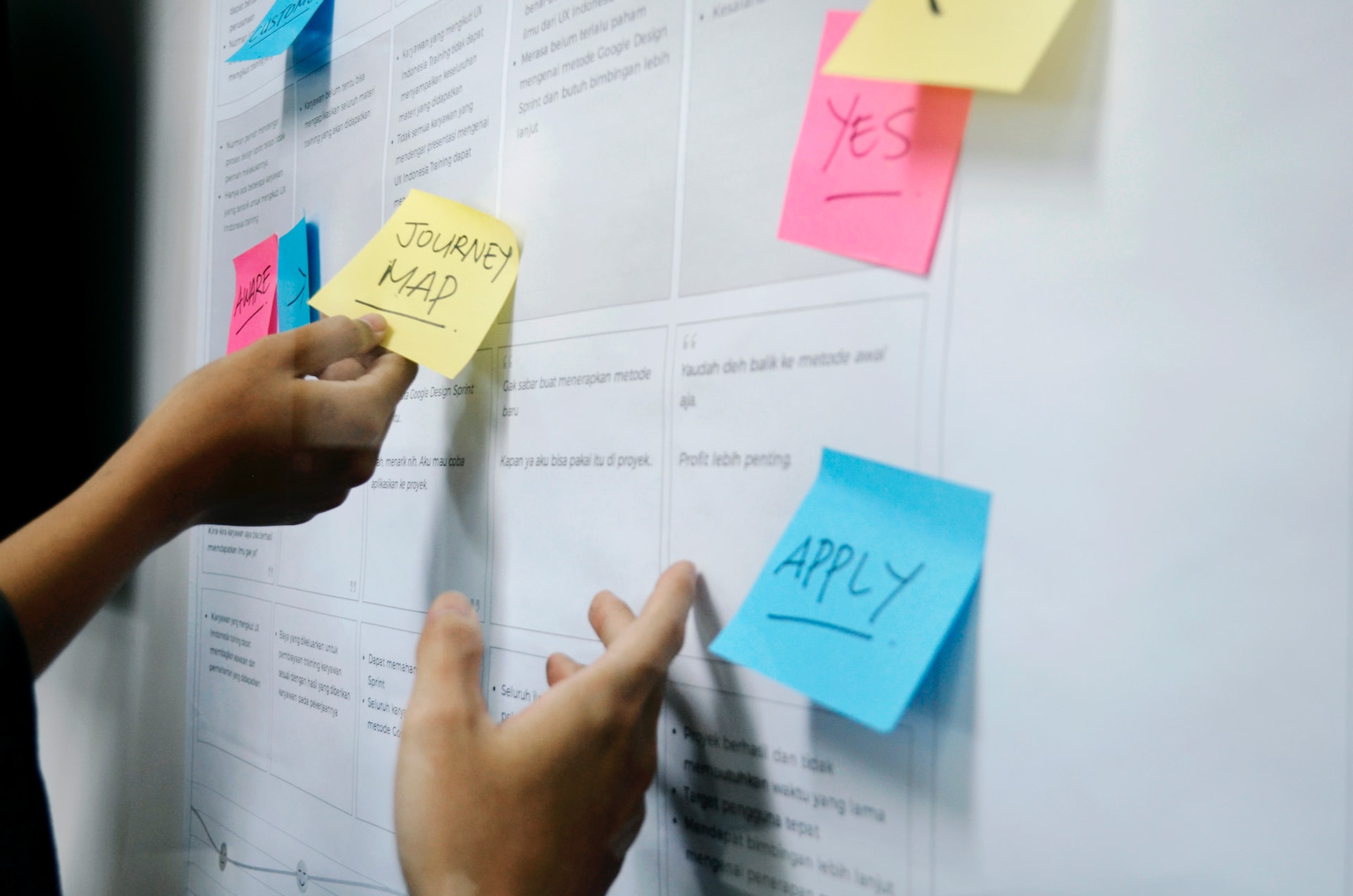
Create summary reports with charts, sticky notes, or journey maps. This makes your findings digestible for internal stakeholders.
Turn findings into usable deliverables, not just research documentation. Depending on the team, this could look like:
-
A summary deck highlighting themes, standout quotes, and implications
-
A persona or journey map update that reflects new insights
-
An idea backlog or prioritized feature list based on participant feedback
-
Short video highlight reels for executive alignment (pull clips that show key reactions)
- Map insights to actions, insights only matter when they lead to decisions.
Packaging the feedback in visually engaging and context-rich formats increases adoption across teams—from marketing and design to product and leadership. This ensures accountability and alignment across cross-functional teams. It also makes the value of the focus group crystal clear in terms of tangible next steps.
Share Back
Consider sharing a brief summary with participants (especially in co-creation workshops). This creates goodwill and reinforces trust in the process.
For sessions that were co-creative, emotionally sensitive, or part of a long-term community, sending a thank-you message or sharing a follow-up summary honors the participants’ time and input.
It doesn’t need to be overly formal—just enough to show that their voices mattered and that changes are in progress. This step builds brand trust and deepens engagement for future research initiatives.
Archive for Long-Term Learning
Your focus group findings might be useful again in six months—or for other teams entirely. Tag and archive data in a searchable format with consistent labels and metadata:
-
Themes
-
Project name
-
Date
-
Audience type
-
Relevant decision points
Having a centralized insights repository ensures that future teams can build on past learnings instead of starting from scratch.
Common Mistakes to Avoid
-
Overloading the agenda – Too many questions can overwhelm the group.
-
Skipping warm-ups – These moments build rapport and set tone.
-
Failing to pivot – If something isn’t working, adapt. You’re not bound to the script.
-
Neglecting follow-up – Great sessions are wasted without analysis and application.
Why Focus Groups Matter More Now then ever Before
In a world driven by analytics dashboards and machine learning, it’s easy to forget the value of listening. Focus groups bring you face to face with your audience’s voice—unfiltered, human, and often surprising.
Whether in person or remote, structured or freeform, a well-executed focus group can shape better products, clearer messages, and stronger strategies. It’s not just about answers—it’s about the conversations that lead to understanding.
Looking to run your first focus group? Bookmark this guide. Return to it as your playbook—whether you’re organizing your first UX feedback loop or leading a cross-functional brand workshop.
Our published articles are dedicated to the design and the language of design. VERSIONS®, focuses on elaborating and consolidating information about design as a discipline in various forms. With historical theories, modern tools and available data — we study, analyze, examine and iterate on visual communication language, with a goal to document and contribute to industry advancements and individual innovation. With the available information, you can conclude practical sequences of action that may inspire you to practice design disciplines in current digital and print ecosystems with version-focused methodologies that promote iterative innovations.