Table of Contents


The Blueprint for Better Interfaces
Wireframes are the silent foundation of user experience design. They map out the structure, flow, and hierarchy of a digital interface long before any visuals, colors, or interactions are introduced. Often described as the blueprint of a website or application, wireframes help designers, developers, stakeholders, and testers align on function before form.
What Are Wireframes?
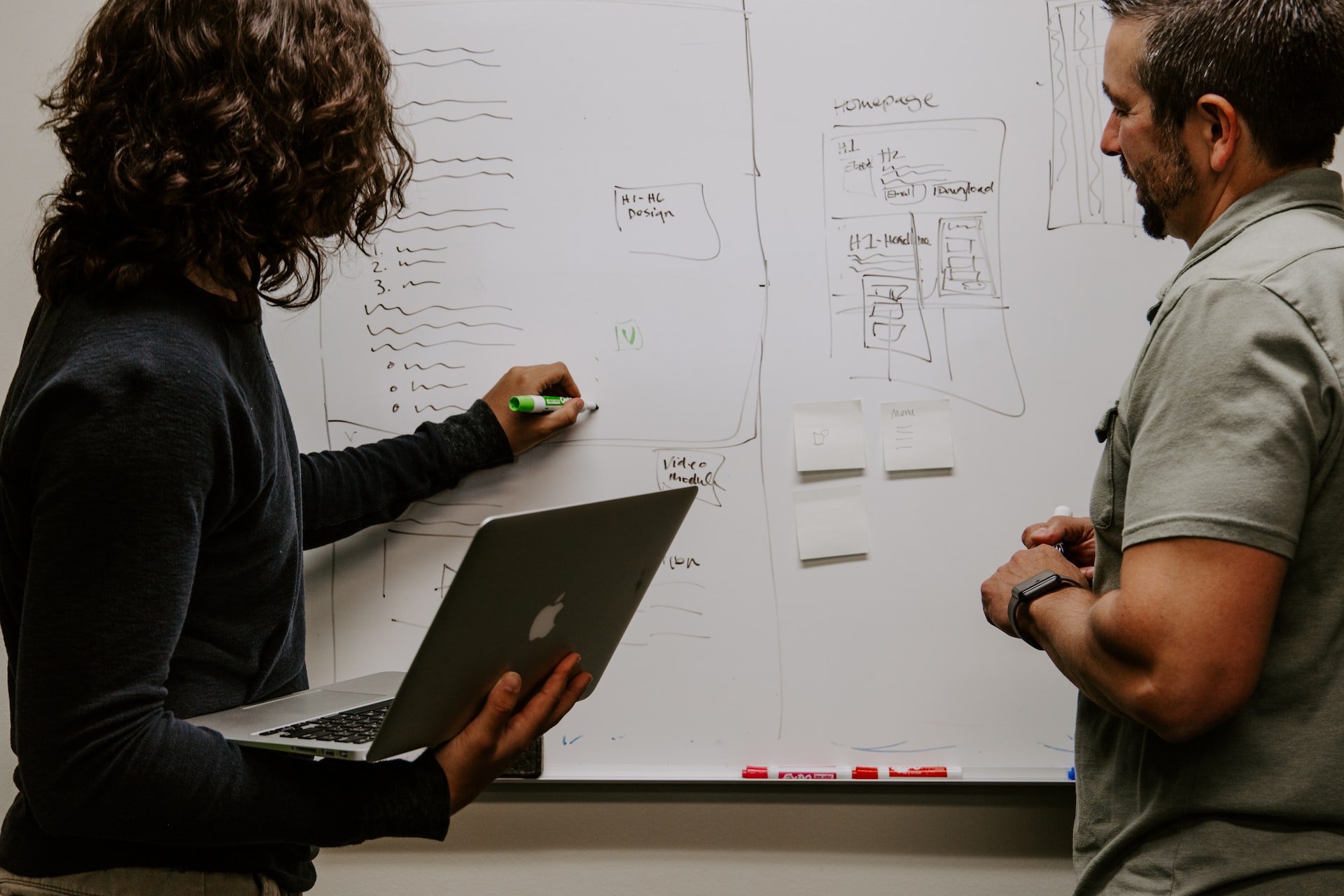
Wireframes start as low-fidelity representations of a product’s layout. They use basic shapes—lines, boxes, placeholders—to illustrate the skeletal structure of a screen or page. Think of them as first drafts: clear, minimal, and focused solely on what goes where and why.
They’re not meant to look pretty. In fact, that’s the point. By stripping out design details, wireframes keep the focus on usability, structure, and user pathways.
This intentional simplicity allows teams to evaluate functionality without distraction. It becomes easier to identify missing elements, confusing flows, or redundant steps when visual styling isn’t influencing perception. Wireframes invite critique and iteration, encouraging stakeholders to engage with the layout on a foundational level. They promote problem-solving around user intent and navigation rather than getting sidetracked by font choices or color palettes. In doing so, they create space for better decision-making and lay the groundwork for a product that performs well before it looks good.
Why Wireframes Matter
Wireframes help teams and stakeholders:
-
Clarify content placement: Where the call-to-action goes, how the navigation is structured, how much space a form needs—wireframes resolve these questions early.
-
Test functionality and user flows: Even without visual polish, users can understand how to navigate from A to B, and stakeholders can test logic before development begins.
-
Spot issues early: It’s far easier (and cheaper) to fix problems in wireframes than after the interface has been developed.
-
Ensure consistency: Wireframes lay the groundwork for consistent layouts, which helps later stages like prototyping and UI design proceed more smoothly.
They act as a central point of alignment, turning abstract ideas into something tangible and reviewable. At this stage, decisions become clearer—what stays, what goes, what needs refinement. Instead of debating visual preferences, teams can concentrate on structure, logic, and purpose. This clarity often accelerates feedback loops and avoids costly revisions later in the process. For stakeholders who may not think in terms of UX or interface mechanics, wireframes offer a straightforward, visual way to understand how users will interact with the product. They also give developers a head start by outlining page components, allowing them to begin thinking about technical feasibility and content structure early on. In collaborative environments, wireframes create a shared visual language across disciplines, enabling designers, strategists, developers, and clients to make more informed, cohesive decisions as the product evolves.
Types of Wireframes
-
Low-Fidelity Wireframes
-
Basic layout with no images, colors, or stylized elements.
-
Focuses on functionality and layout.
-
Often sketched by hand or created with tools like Balsamiq or Figma.
-
-
Mid-Fidelity Wireframes
-
Add more accurate spacing and alignment.
-
Include actual text or lorem ipsum for better content modeling.
-
Great for stakeholder reviews and usability walk-throughs.
-
-
High-Fidelity Wireframes
-
Approach a prototype level in precision but still avoid full visuals.
-
May include actual copy, button states, and responsive behavior.
-
Useful when moving toward handoff to UI teams or developers.
-
Wireframes vs. Prototypes
It’s common to confuse wireframes with prototypes. Wireframes are static—they outline the page structure. Prototypes add interactivity, showing how elements behave when clicked or swiped.
Both are crucial, but wireframes come first. They’re the planning stage; prototypes are the simulation.
Tools of the Trade
Some popular wireframing tools include:
-
Figma – Versatile for everything from low to high fidelity.
-
Adobe XD – Integrated wireframing and prototyping tool.
-
Sketch – Design-focused but works well for wireframes.
-
Balsamiq – Great for low-fidelity, hand-drawn-style wireframes.
-
Axure – Best for high-fidelity and complex interactions.
Each tool has its strengths, but the choice often depends on team workflow and project scale.
Best Practices in Wireframing
-
Start with user goals. Structure should serve function, and every screen should support what the user is trying to accomplish.
-
Avoid getting too visual too soon. Stick to greyscale, boxes, and basic typography. Avoid logos, images, or brand colors in the early phase.
-
Design for responsiveness. Plan layouts with multiple screen sizes in mind from the start.
-
Label clearly. Use notes or annotations to explain functionality, behavior, or rationale for elements.
-
Iterate fast. Wireframes are meant to be changed. Use feedback to evolve the structure quickly before moving into detailed design.
Wireframes in the UX Process
Wireframing typically happens after user research and before visual design. It translates insights and requirements into a tangible layout.
This phase often overlaps with information architecture and user flow mapping, serving as a visual manifestation of those early strategy documents.
Wireframes are also a communication tool. When presented in reviews or workshops, they encourage discussion focused on goals, behaviors, and logic rather than aesthetics.
The Value of Keeping Wireframes in the Workflow
Even as tools evolve and design systems make visual mockups quicker to produce, wireframing remains essential. It de-risks design, creates a shared language among stakeholders, and saves teams from building the wrong thing.
Wireframes aren’t just for big redesigns. They’re useful for A/B testing concepts, improving onboarding flows, revisiting legacy components, or exploring feature enhancements.
Testing Assumptions
Wireframes are where ideas get organized, logic gets tested, and assumptions are challenged. They are the framework upon which all future design and development is built. By prioritizing clarity over aesthetics, wireframes help design teams stay focused on what truly matters: delivering meaningful, usable experiences for users.
Our published articles are dedicated to the design and the language of design. VERSIONS®, focuses on elaborating and consolidating information about design as a discipline in various forms. With historical theories, modern tools and available data — we study, analyze, examine and iterate on visual communication language, with a goal to document and contribute to industry advancements and individual innovation. With the available information, you can conclude practical sequences of action that may inspire you to practice design disciplines in current digital and print ecosystems with version-focused methodologies that promote iterative innovations.